Settings and profiles stay on your PC.
 FingerprintLauncher
Native Windows automation
Your fingerprint.Your next action.
Turn the fingerprint reader already built into your laptop into a personal command center. One scan can open apps, run shortcuts, control Windows, and launch complete routines.
Version 1.1.0 · Windows 10/11 · Windows Hello requiredRelease details
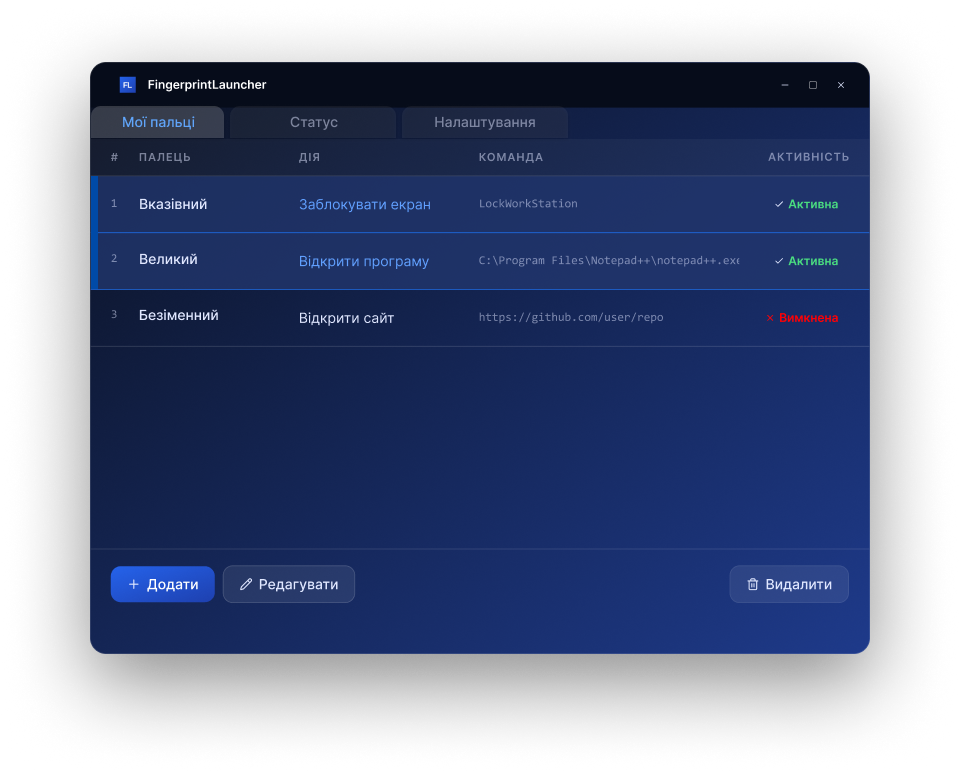
Windows handles biometric matching.
From apps and hotkeys to system controls.
Light, dark, onyx, graphite, blue and purple.
BUILT AROUND YOUR ROUTINE
One touch can do much more.
Create a small shortcut or a complete sequence. Every step remains visible, editable, and under your control.
Build visual action sequences
Arrange commands in the exact order you need. Disable one step without deleting it, or reuse the same finger in multiple profiles.
TRIGGERFingerprint scanned
01
Open applicationVisual Studio Code
Ready02
Press hotkeyCtrl + Shift + P
Ready03
Start timerFocus session · 25 min
ReadyControl Windows
Lock the screen, manage sound, minimize windows, sleep, restart, or shut down the PC.
Always close at hand
Run quietly from the system tray, pause scanning, manage timers, and start with Windows.
ACTION LIBRARY
Useful commands, ready to combine.
Start with everyday actions and combine them into routines that feel natural.
Basic
Open application or file
Launch an executable, document, folder, or any file type registered in Windows.
Important detail
Use the full path. Optional command-line arguments are supported for applications that accept them.
HOW TO ADD IT CORRECTLY
- Choose Open application or file.
- Select the file with Browse or paste its full path.
- Add optional arguments, then save the action.
HOW IT WORKS
From setup to action in three steps.
Enroll your finger
Use Windows Hello to add a fingerprint if it is not already enrolled.
Create a profile
Scan the finger, name the profile, and arrange the actions you want.
Scan and launch
Press the activation hotkey, touch the reader, and your routine runs.
PRIVACY BY DESIGN
Read privacy policyYour fingerprint never enters FingerprintLauncher.
Fingerprint matching happens inside Windows Hello and the Windows Biometric Framework. The app never stores fingerprint images, templates, your PIN, or Microsoft account credentials.
COMMON QUESTIONS
Everything important, without the fine print.
No. Windows performs biometric matching. FingerprintLauncher stores only the local profile and action settings needed to run your routines.
Yes. You need Windows 10 or 11, a Windows Hello-compatible fingerprint reader, and at least one enrolled finger.
Yes. The app can remain in the system tray and listen for the global activation hotkey while you work in other programs.
The current installer is not digitally code-signed yet. Download builds only from the official GitHub Releases page.
Make every touch useful.
Turn Windows Hello into your personal automation key.
Get FingerprintLauncher